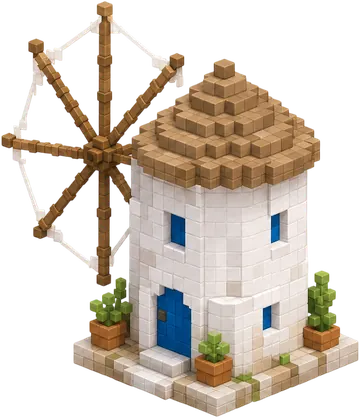
Disclosure: we make Voxel Game, so we are not neutral about it. It suits a narrow job, and most of the other picks below do more. We checked each site's own page in November 2026, but we did not play every game at length, so check the details before you rely on them.
Quick comparison
| If you want | Try | The catch |
|---|---|---|
| Cozy small dioramas | Voxel Game | Small grid, single-player, no freeform stacking, no 3D export. |
| Classic first-person blocks | Minecraft Classic | Very old and limited, and press coverage describes it as a desktop-browser game. |
| Playing with friends | Bloxd.io | Built around competitive and social play, and it has a shop and advertising. |
| A voxel adventure | Gleamheart | Has combat and bosses, so it is not the calm option. |
| Larger worlds you can fly through | Tiny World Builder | More tools to learn than a small diorama builder. |
| The coziest town toy | Townscaper web demo | Not cube-by-cube building, and the browser version is a demo of a paid game. |
| Young children | Brick Builder (Tiny Hands Play) | Studded toy bricks, not true voxels, and aimed at young kids. |
| Making voxel art and models | Voxie Studio | A creation tool rather than a game, and some sharing features need Premium. |
The picks
Voxel Game: cozy small dioramas
Our own game. A 14 by 14 isometric builder with 75+ ready-made pieces, share links and PNG download. No account, no enemies. The catch: Small grid, single-player, no freeform stacking, no 3D export.
Minecraft Classic: classic first-person blocks
Mojang's official free browser version of the 2009 game. Creative building with about 32 block types, and you can invite friends with a link. The catch: Very old and limited, and press coverage describes it as a desktop-browser game.
Bloxd.io: playing with friends
Block-world game modes in the browser, including Creative, Peaceful, Survival, Skyblock and Bedwars. Its site says no downloads and no login. The catch: Built around competitive and social play, and it has a shop and advertising.
Gleamheart: a voxel adventure
A free first-person voxel sandbox with crafting, exploring and bosses. No download or account, and you can play alone or with friends. The catch: Has combat and bosses, so it is not the calm option.
Tiny World Builder: larger worlds you can fly through
A voxel world editor: sculpt terrain, place props and homes, fly through your world, then save, remix and share it. The catch: More tools to learn than a small diorama builder.
Townscaper web demo: the coziest town toy
Click on water and a pastel town grows by itself. No goals and no combat. The catch: Not cube-by-cube building, and the browser version is a demo of a paid game.
Brick Builder (Tiny Hands Play): young children
Made for ages 3 to 8. Pick a brick and it clicks into place. No ads, no timer, nothing to install, and it runs on phones, tablets and laptops. The catch: Studded toy bricks, not true voxels, and aimed at young kids.
Voxie Studio: making voxel art and models
A full voxel editor in the browser: sculpt, paint, animate, publish to a gallery and collaborate. Free to start, with a Premium tier. The catch: A creation tool rather than a game, and some sharing features need Premium.
How to choose
- On a phone: check for touch controls first, because many first-person block games are built for a keyboard and mouse. Voxel Game, Brick Builder and Gleamheart all describe phone support.
- On a school Chromebook: try the game on the real device. School network filters block game sites unpredictably, whatever a game's own page says. Schools with Microsoft accounts can also ask about Minecraft Education, which is a paid product made for classrooms.
- With no account: most picks here let you start without one, but saving, sharing or publishing can still need one. Look for that before you spend an hour building.
- Keeping your work: browser-saved projects disappear if you clear site data. Prefer a game with share links or export if the build matters to you.
When Voxel Game is the wrong choice
Skip it if you want a first-person world, survival, multiplayer, single-block freeform stacking, or a model you can export. It is for the opposite case: you have ten minutes, you want a tidy little island on screen, and you would like to send a friend a link to it. The Voxel Game FAQ covers the details, and the best voxel games list includes paid and downloadable games.